GENERATE IMAGES
Ship Track — Step 4
Every image your product needs is described in the PRD — hero banners, feature illustrations, icons, social cards. I read those descriptions, forge prompts with the right style prefix, call DALL-E 3, and deliver optimized WebP assets tracked in a manifest. No stock photos. No designer bottleneck. Just type /imagine.
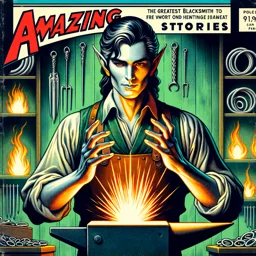 Celebrimbor
WHAT /IMAGINE DOES
The /imagine command connects to DALL-E 3 via the OpenAI API and generates images from descriptions in your PRD. Each image gets a style prefix derived from the PRD's visual identity section — so every asset shares a consistent look without manual prompt engineering.
Start by scanning the PRD for all image descriptions:
/imagine --scanThis produces a numbered list of every visual asset the PRD references. Review it, then generate them all — or target a specific asset by name.
KEY FLAGS
Generate a single asset by name:
/imagine --asset "hero"--scan lists all image descriptions from the PRD without generating anything. --asset targets a specific image by name or number. --regen regenerates an existing asset with a new seed — useful when the first result does not match your vision. --style overrides the PRD's style prefix for a single generation.
All generated images are saved as high-quality PNGs from DALL-E 3, then tracked in an image manifest at docs/image-manifest.md with the prompt, seed, and file path for every asset.
GIMLI'S OPTIMIZATION
After generation, Gimli steps in to optimize every asset. PNGs are converted to WebP with quality tuning per use case — hero images get higher quality, thumbnails get aggressive compression. The result is production-ready assets that load fast without visible degradation.
The manifest tracks both the original PNG and the optimized WebP, so you can always regenerate or reoptimize without losing the source. Every image your product needs, generated from the PRD, optimized for the web, and tracked end-to-end.