THE DANGER ROOM
Grow Track — Step 4
FORGE LABS — EXPERIMENTAL PROTOCOL
The Danger Room is real, powerful, and operational inside the Forge. But connecting it to the outside world — ad platforms, bank APIs, live dashboards — requires your engineering.
API keys. Platform accounts. Debugging skills. Extensions required. Here be dragons.
WHAT IS FORGE LABS? →I didn't build SHIELD by reading log files. The Danger Room gives you eyes on everything — every agent, every phase, every finding — scoped to your project. One screen. No noise.
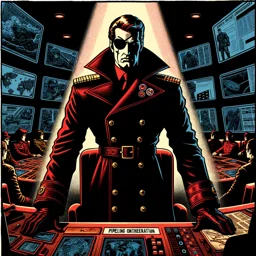 Fury
FuryWHAT IS THE DANGER ROOM
The Danger Room is a tab inside the per-project dashboard. It shows only data for the project you're viewing — campaigns, heartbeat, treasury, and agent activity are all project-scoped. No cross-project data leakage.
Navigation: Lobby → click a project card → Danger Room tab. Breadcrumb navigation takes you back.
/dangerroomOpens the wizard dashboard. Navigate to your project, then select the Danger Room tab. WebSocket broadcasts are filtered by project ID via subscription rooms — you only see events from this project.
THE PROJECT DASHBOARD
Each project gets a 5-tab single-page dashboard:
Overview — Project summary, recent activity, health status.
Tower — In-browser terminal running Claude Code (Avengers Tower).
Danger Room — Build progress, agent activity, findings, deploy status. Real-time via project-scoped WebSocket.
War Room — Growth campaign state from the Cultivation stack: active ads, spend vs. budget, conversion rates, Treasury balance.
Deploy — Deployment controls, health checks, rollback.
PROJECT-SCOPED DATA
All API routes use /api/projects/:id/danger-room/* with access control via resolveProject() middleware. Every request validates project access before serving data.
WebSocket connections subscribe to project-specific rooms. When an agent logs a finding or a deploy step completes, only clients viewing that project receive the event. The Living PRD diff view, build progress, and agent activity ticker are all scoped the same way.
The Lobby shows all your projects with “Resume last project” (persisted in localStorage) for quick re-entry. Think of it as mission control — per mission.
WHAT'S NEXT
The Danger Room watches. Now make it watch something worth watching. Go back to Cultivation (Step 1) if you haven't installed the growth engine yet, or run the full Gauntlet to stress-test everything before real users arrive.